
When I ask a company if it has backups, the answer is almost always "yes, we have an external drive" or "there is a NAS in the office". That is a good start, but on its own it does not protect against the most common problems: ransomware, hardware failure, theft or human error.
Why a single copy is not enough
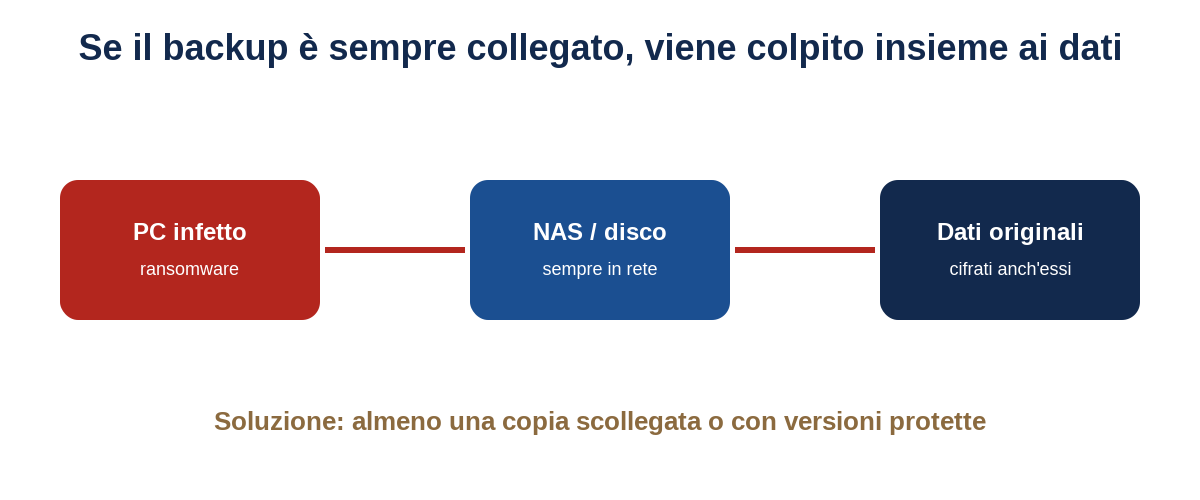
Modern ransomware does not only encrypt the computer it infects: it looks for attached drives and network folders and encrypts those too, backups included. If the copy is always connected to the network, it is hit together with the original data. And a backup nobody has ever tried to restore is a hope, not a guarantee.
The 3-2-1 rule
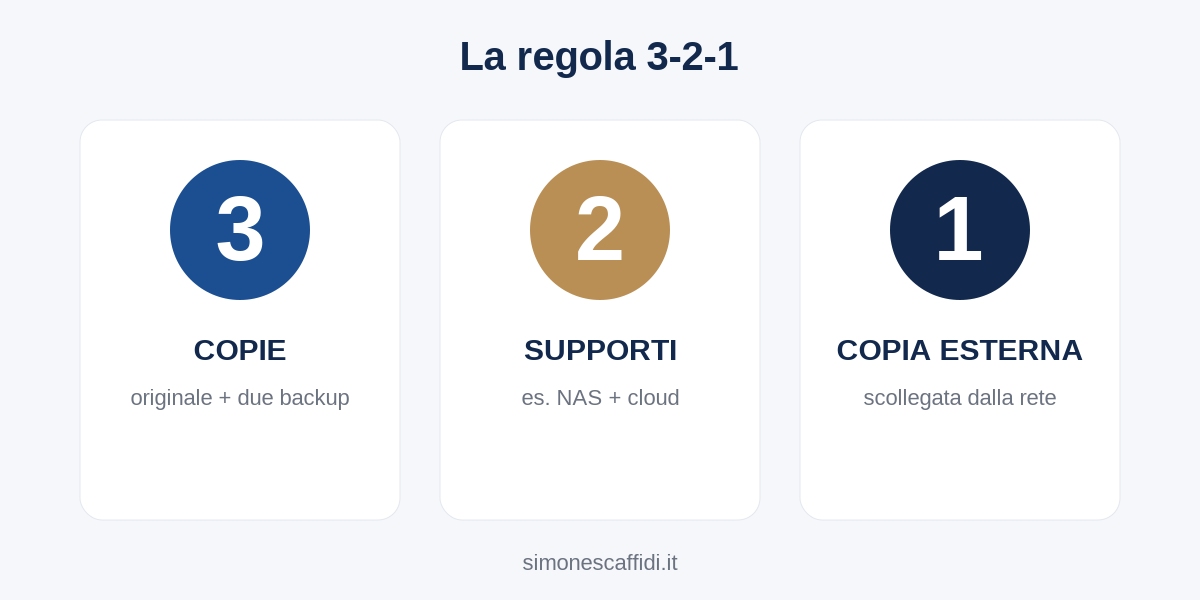
- 3 copies of your data: the original and at least two backups.
- 2 different media, for example a NAS and the cloud, so a single failure cannot hit them all.
- 1 copy off-site and disconnected from the company network (cloud with protected versions, or a drive kept offline).
What to check today
- Is there a copy that office computers cannot modify or delete?
- When was the last test restore? If you do not remember, it is time to run one.
- How long would it take to get back to work if your data vanished tonight? Hours or weeks?
- Does the backup really cover everything you need: business software, email, shared folders, servers?
Why it matters for GDPR too
Article 32 of the GDPR requires the ability to restore the availability of personal data in a timely manner after an incident. Losing customer data without a reliable backup is not just an operational loss: it can also become an issue with the data protection authority.
If you want to know whether your backup would hold up in a real incident, I can check it with you in a short consultation: what you copy, where, how often, and whether restoring really works.